How to Use Anti-Delete Messages in GB WhatsApp APK
Introduction
One of the most powerful and popular features of GB WhatsApp is Anti-Delete Messages. This feature allows you to read messages even after the sender deletes them—something not possible in the official WhatsApp.
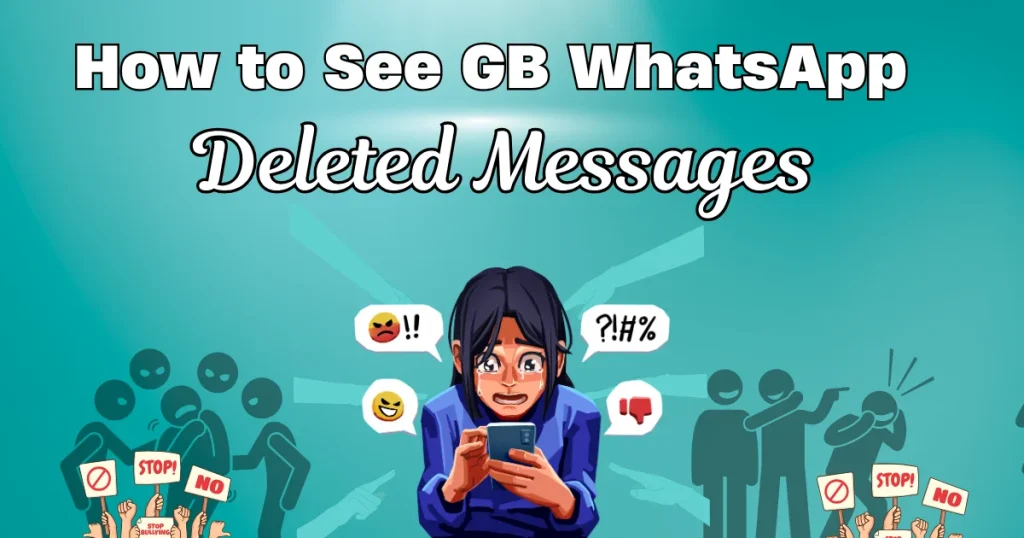
Have you ever seen “This message was deleted” and wondered what it said? With GB WhatsApp, you don’t have to guess anymore.
In this complete guide from GBWTA.COM, you’ll learn how to enable Anti-Delete Messages, how it works, and how to use it effectively.
What are Anti-Delete Messages?
Anti-Delete Messages is a feature that prevents messages from disappearing on your device, even if the sender deletes them.
What Happens When It’s Enabled
- Deleted messages remain visible in your chat
- You can read texts even after deletion
- Media files may also remain accessible
- You won’t see “This message was deleted.”
How to Enable Anti-Delete Messages (Step-by-Step)
Follow these detailed steps to activate the feature:
- Step 1: Open GB WhatsApp
- Unlock your phone and open GB WhatsApp
- Wait for the main chat screen to fully load
- Ensure the app is running smoothly before proceeding
- Step 2: Access GB Settings
- Tap the three-dot menu in the top right corner
- Select GB Settings from the dropdown
- This will open advanced customization options
- Step 3: Go to Privacy Settings
- Tap on Privacy & Security
- Scroll down through the list of privacy features
- Look for Anti-Delete options
- Step 4: Enable Anti-Delete Messages
- Find Anti-Delete Messages
- Toggle it ON
- The feature will activate immediately
- Step 5: Enable Anti-Delete Status (Optional)
- Look for Anti-Delete Status
- Turn it ON as well
- This allows you to view deleted statuses
- Step 6: Restart the App (Recommended)
- Close GB WhatsApp completely
- Reopen the app
- This ensures the feature works properly
How Anti-Delete Messages Work
Once enabled:
- When someone sends a message and deletes it, you will still see the original message
- The app prevents deletion from your side
- Messages remain saved locally on your device
Benefits of Anti-Delete Messages
Why Users Love This Feature
- You never miss important information, even if the sender deletes it quickly, ensuring you stay informed at all times.
- It helps avoid confusion during conversations where messages suddenly disappear, allowing you to maintain context and clarity.
- Useful for tracking conversations, especially in group chats where messages are often deleted after being sent.
- Gives you more control over chats by letting you decide what stays visible on your device.
Limitations You Should Know
Even though it’s powerful, there are some limitations.
Important Points
- Media files like images or videos may not always be saved if they were not fully downloaded before deletion.
- The feature only works after it is enabled, meaning previously deleted messages cannot be recovered.
- Some updates or bugs may temporarily affect functionality, especially if the app is outdated.
Best Practices for Using Anti-Delete Messages
Do’s
- Enable the feature before starting important conversations to ensure no messages are missed.
- Keep your app updated from GBWTA.COM to maintain proper functionality and avoid bugs.
- Use the feature responsibly and respect others’ privacy while reading deleted messages.
Don’ts
- Do not rely on this feature for sensitive or confidential data, as it is not an official security tool.
- Avoid using outdated versions of the app, as they may not support Anti-Delete properly.
- Do not misuse the feature in a way that violates trust in personal or professional relationships.
Common Issues and Fixes
| Problem | Solution |
|---|---|
| Deleted messages still disappearing | Enable feature again |
| Media not showing | Download media before deletion |
| Feature not working | Update GB WhatsApp |
| App crashing | Restart the app |
When Should You Use This Feature?
Anti-Delete Messages is especially useful when:
- You are part of active group chats
- You want to track important messages
- You suspect messages are being deleted frequently
- You want complete control over conversations
Conclusion
The Anti-Delete Messages feature in GB WhatsApp is one of its most useful tools, giving users the ability to read messages even after they are deleted. It enhances transparency and ensures you never miss important information.
By following this guide from GBWTA.COM, you can easily enable and use this feature effectively. Just remember to keep your app updated and use it responsibly.
Take control of your chats and never miss a message again with GB WhatsApp—only with GBWTA.COM.